There is a nice article called Study this ‘laptop list’ before buying on Palm Beach Daily News. The article offers advice for people trying to buy a laptop, which in the writer’s opinion is a “necessary evil”. Well, he’s not a laptop fan, but the article is pretty nice. Here is a sample :
“• Processor chip: Make sure your new laptop uses a chip made especially for a battery-powered computer. These chips tend to run cooler and drain the battery more slowly. Among the chips that fill this bill are the Intel Pentium M, Mobile Intel Celeron, Mobile AMD Athlon and the Mobile AMD Duron.
• Battery life: Make sure the ability to operate on batteries for an extended period is important to you. Most people tend to use a laptop as a portable desktop computer, plugging it in at home, in offices, hotel rooms and dorms. If battery life is crucial to you, get lithium-ion batteries for the most run time.
• Screen: Today almost every laptop computer uses a liquid crystal display (that’s LCD in retailing lingo). A few years ago it was important to look for active matrix screens, but now that is a feature common to most laptops advertised. If the laptop will often be used at home or in a dorm room, consider buying a regular monitor, too, for a larger or sharper image. You can simply plug the monitor into your laptop at home and unplug it and use the LCD screen when on the move.
• Memory: Laptops tend to come with less memory than desktops. While it’s easy for home users to add memory chips in a desktop, it’s more complicated when working on a laptop. That’s why I recommend at least 512 megabytes of memory in your laptop. That’ll delay — or maybe even eliminate — the need to add memory over the lifetime of the laptop.
• Hard disk: Get the largest hard disk you can reasonably afford. For the reasons stated above, it’s best to avoid the need to upgrade later.
• Networking: The givens are that the machine should have a built-in dial-up modem as well as an ethernet connection for times when it’s used with DSL or cable modems. You won’t have any trouble finding those features.
I suggest you also equip the machine so it comes out of the box with wireless connectivity. Surprisingly, this won’t add much to the cost. Remember that laptop computers are made to be used on the go. For college students, wireless connections, as well as high-speed wired connections, are common.”
Well, the article ends with this conlcusion: “Following these tips may not turn you into a lover of laptops, but it’ll sure ease the pain.”
You can read more at Palm Beach Daily News.
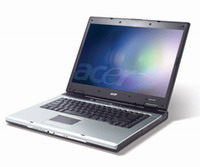
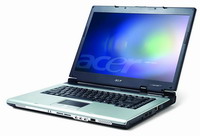 A great article about the Acer Aspire 5000 notebook comes from Laptop Magazine. They write about the Acer Aspire 5000 which is based on AMD’s new Turion 64 technology :
 Finally, there is a Orange SPV M500 review. Trusted Reviews writes about the
 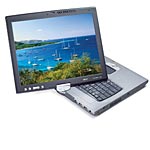 Tablet PC Review Spot features an Acer C314 Review. They write about the new
 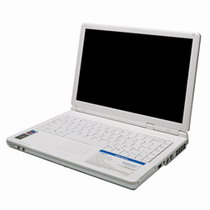 The Averatec 4200 notebook features a 13.3 inch widescreen display, Pentium M 730- 1.6 GHz, 512MB RAM standard, 80GB HDD, WiFi, flash reader and a DVD burner .
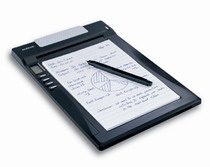 ACECAD DigiMemo A501 is a digital paper and pen handwriting storage and recognition solution. The DigiMemo A501 is a stand-alone device with storage capability that digitally captures and stores everything you write or draw with ink on ordinary paper, without the use of computer and special paper. Then you can easily view, edit, organize and share your handwritten notes in Windows.
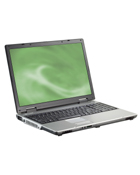 8510GZ notebook :Gateway’s first notebook with a 17-inch Cinematic Widescreen
 There is a new


